

You asked and we delivered. We’re excited to introduce SoulBeing Connections & Referrals – a new way to connect, collaborate, and grow your referral network within the SoulBeing community!
Many providers have told us they’d love more opportunities to build relationships with peers and refer clients and patients with confidence. Now, it’s all available directly in your Provider Dashboard.
With Connections and Referrals, you can:
- Browse hundreds of SoulBeing providers across 50+ care categories and build your trusted referral network.
- Chat directly with fellow providers to exchange insights, strengthen professional relationships, and collaborate on client care.
- Send and receive HIPAA-compliant patient referrals right from your dashboard.
Read on for a step-by-step tutorial on how to discover, connect with, and send and receive referrals to and from other providers in the SoulBeing network.
Not yet a SoulBeing provider? Apply here to grow your practice!
Discover and Connect with other SoulBeing Providers
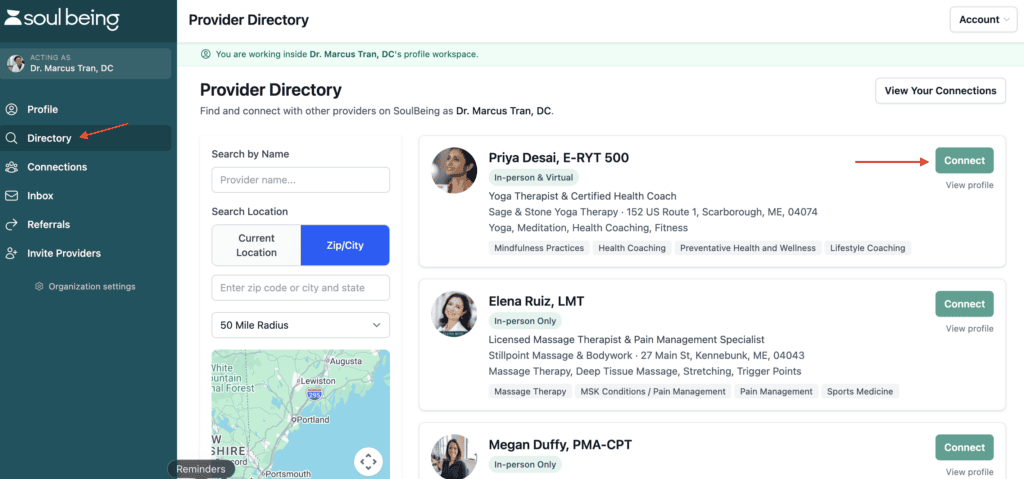
To get started, head to your Provider Dashboard and click the Directory tab.
From here you can search for providers you’d like to establish referrals connections with. Click Connect to request a connection.
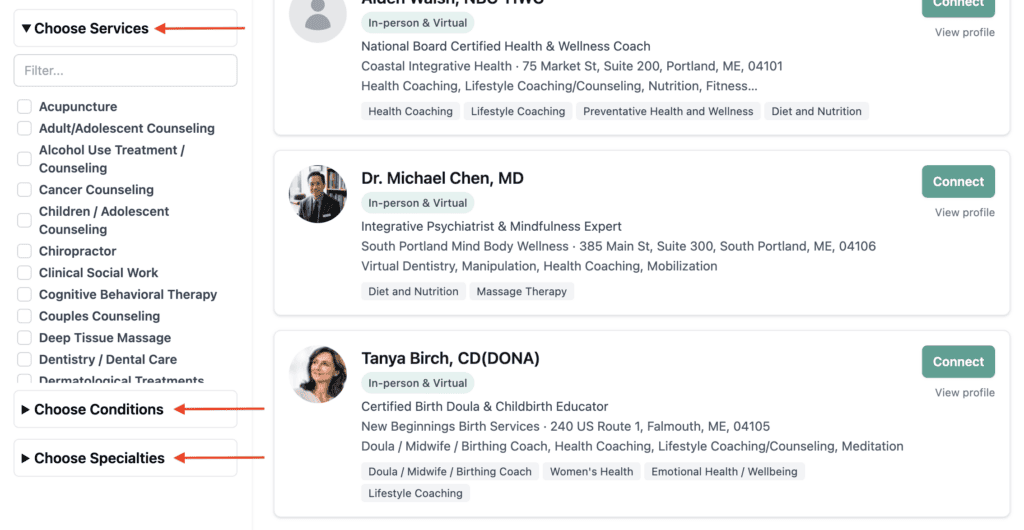
Filter based on locations, services, specialties, and conditions treated.
Chat in Real Time
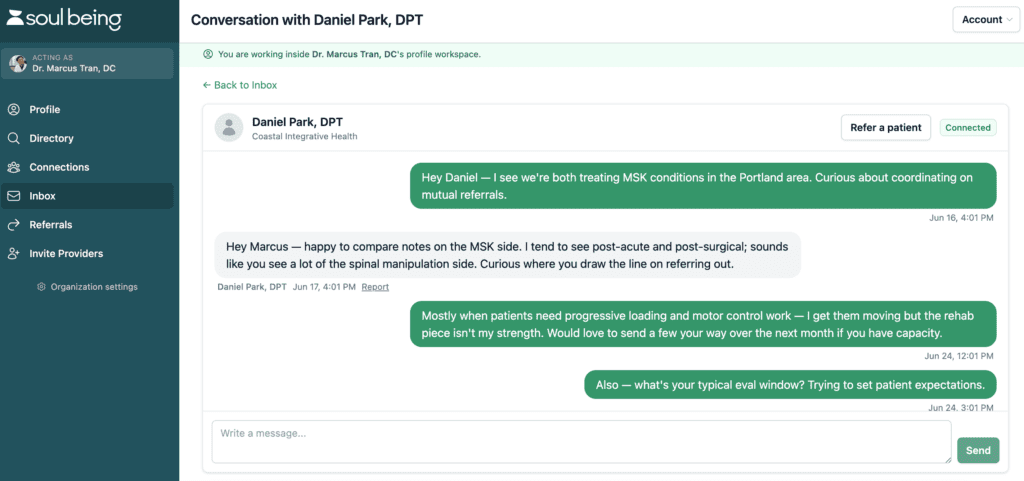
Once you establish a connection, you’ll be able to send and receive referrals. You may want to start off with a conversation to get to know them better, which you can do directly in the tool.
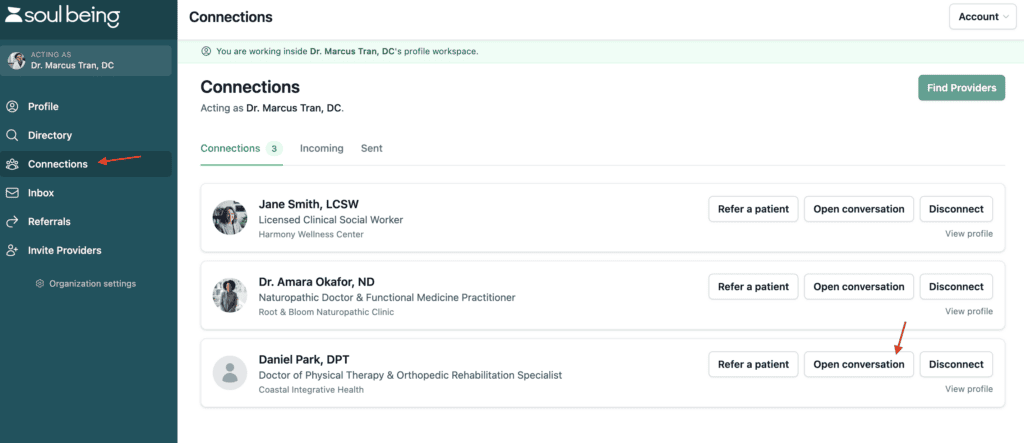
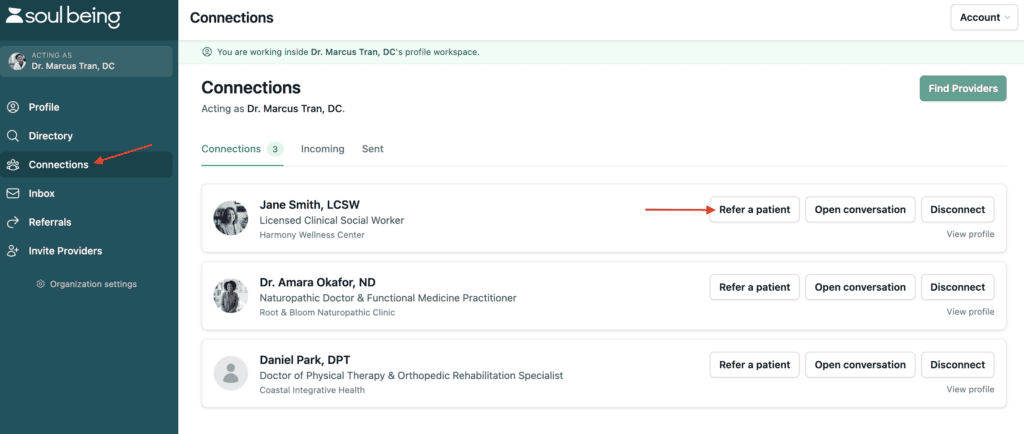
To start a conversation, Open your Connections tab and click Open Conversation. From here you can start a conversation. You’ll receive an email notification when they respond, and it will also appear in your inbox.
Refer Clients and Patients
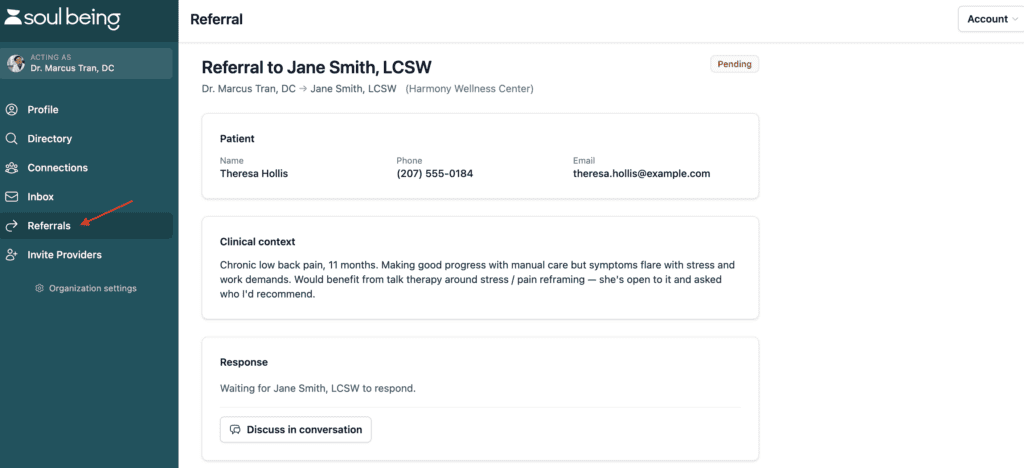
To refer a client or patient, click the Refer a Patient button from the Connections tab and complete the HIPAA compliant form.
You can access all of your sent, received, and pending referrals from the Referrals tab.
Invite Peers to Join your Network
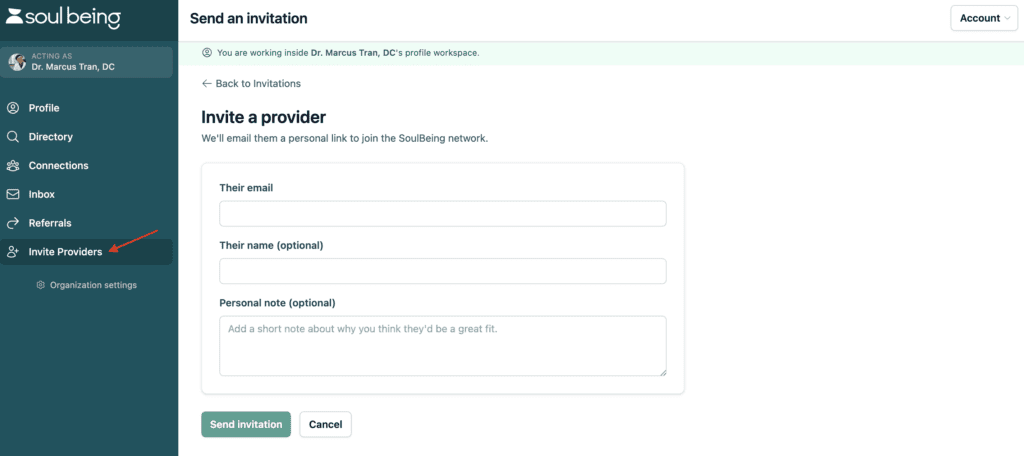
Want to add a peer outside of the SoulBeing network? Invite them to join SoulBeing! They’ll be added to your Connections and will gain access to our network to help them grow their practice.
To invite a provider, simply visit the Invite Providers tab and click Send an Invitation.
Have questions? Contact support@soulbeing.com to contact a member of our team.



0 Comments